As a Texan in Ithaca, the northeast climate was unfamiliar, and I struggled to pick out outfits each day based on the weather report.
Thus, I built an app to aid in this.
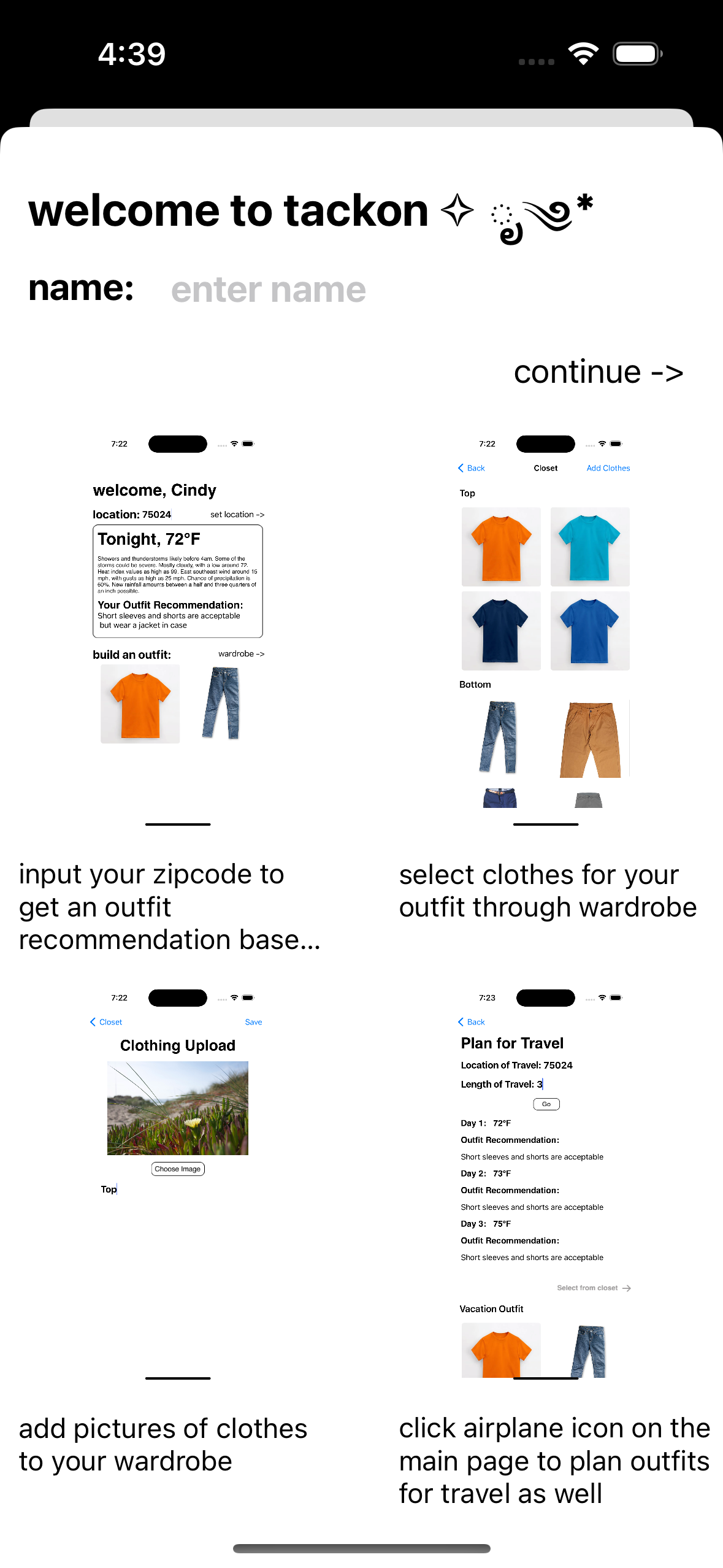
Upon downloading the app, users can enter their names and view a brief demo of how the app works.
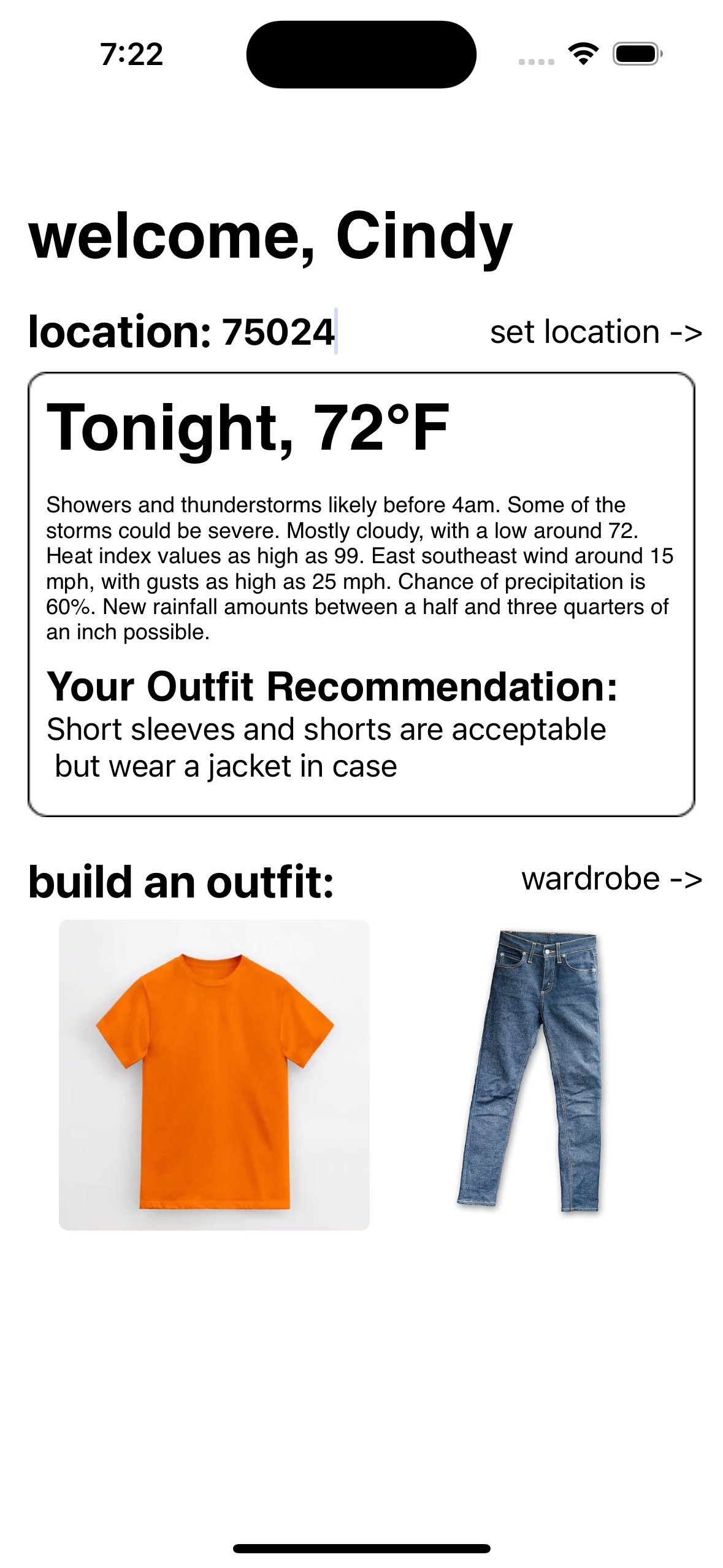
After granting location permissions, users will receive an outfit suggestion alongside a weather forecast.
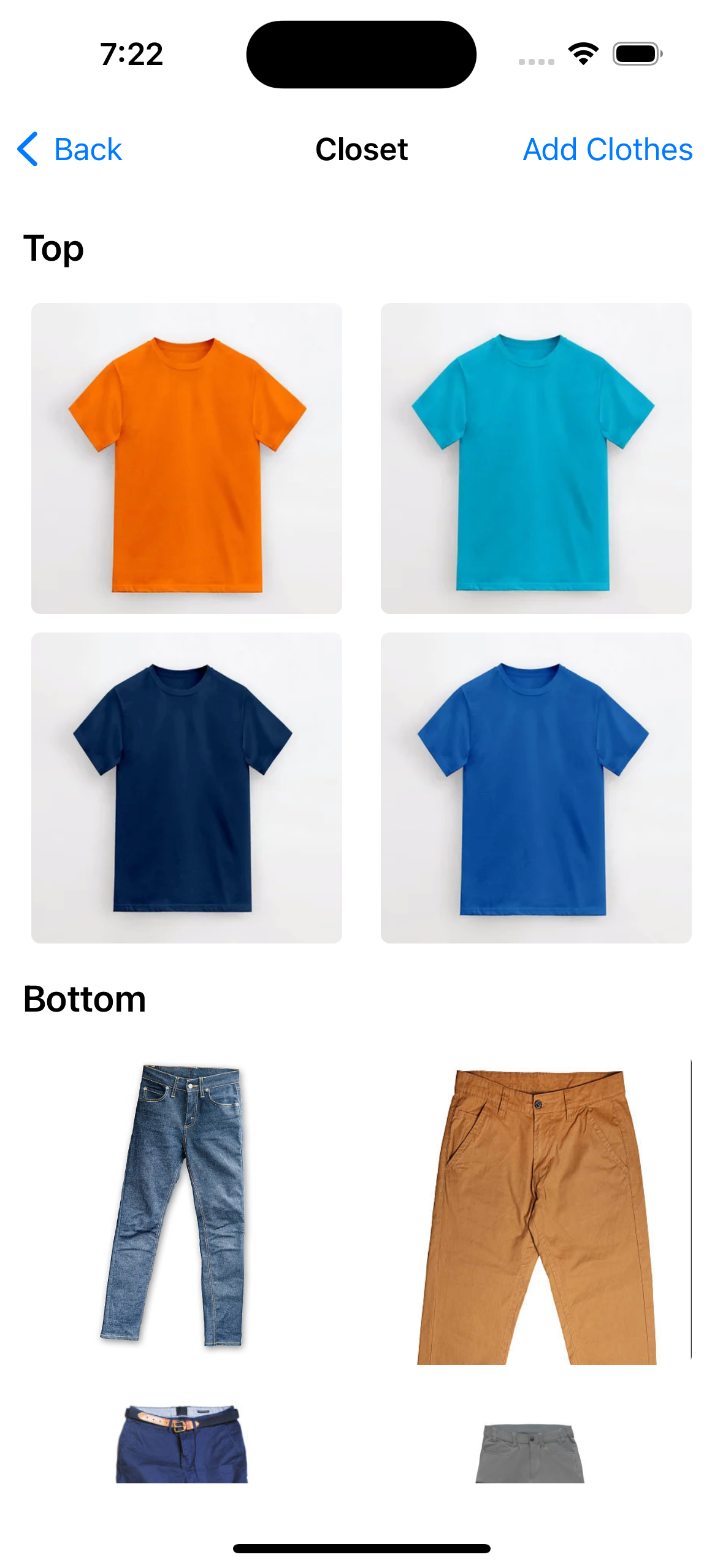
Users can then select the wardrobe button to choose clothes from their closet to add to their current outfit on the main page.
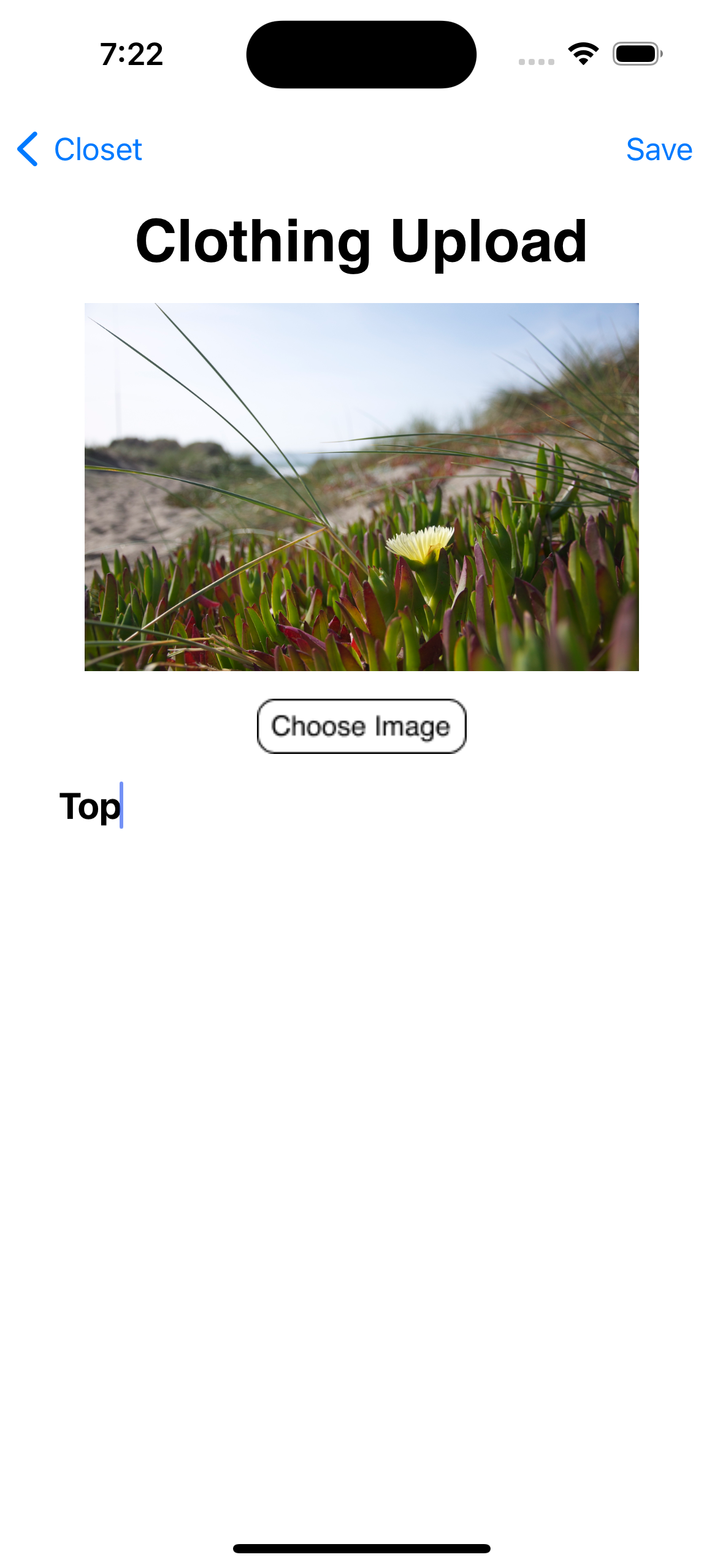
Users can also upload images of their clothes to their wardrobe.
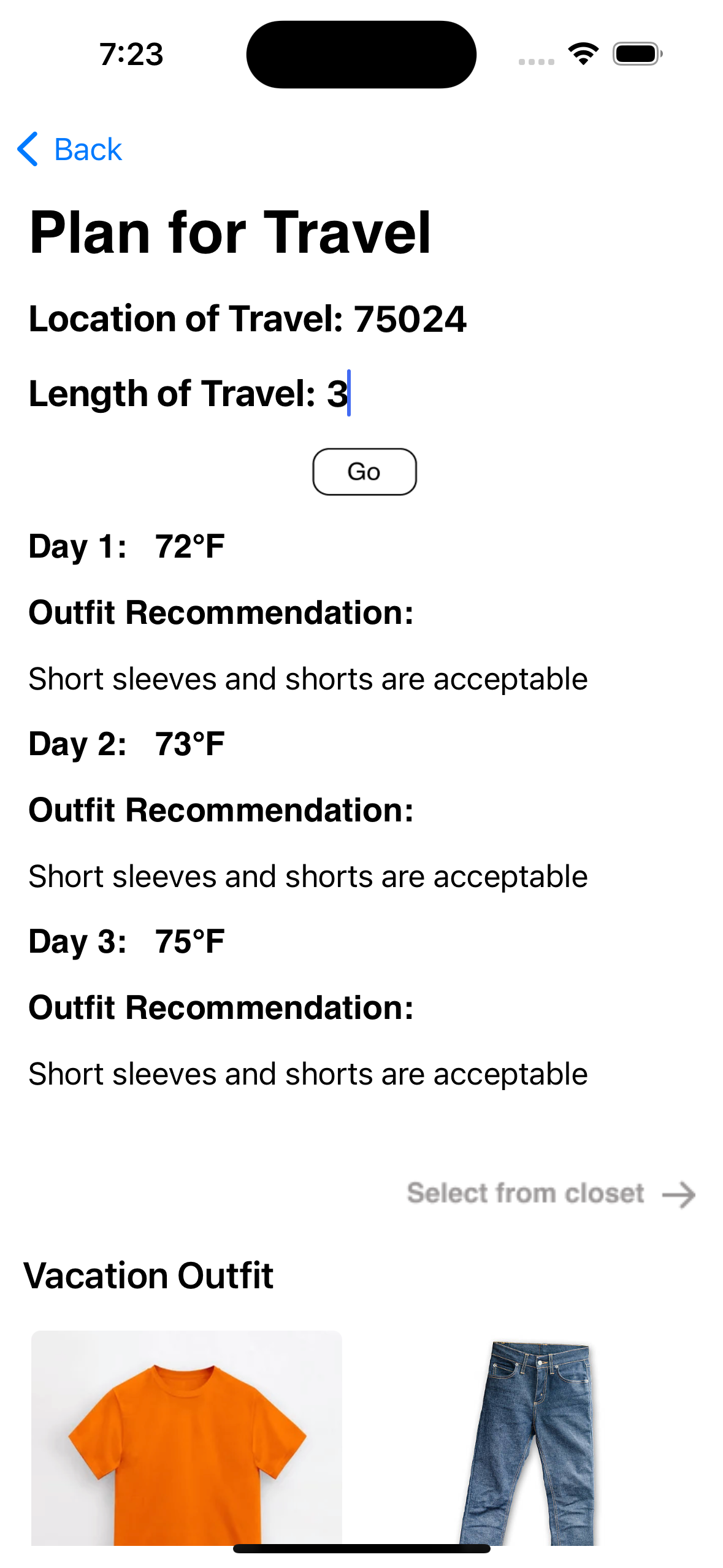
Users will also have the option to pre-plan outfits for vacation with the vacation button at the bottom of the main page.
Technologies Used
Swift, UIKit, Firestore, OpenAI API
The onboarding page gives users instructions on how to use the app. This screen only appears the first time the user opens the app. It shows users
how to get outfit recommendations, how to select clothes from their wardrobe to buld an outfit, how to upload images to their closet, and how to build outfits for vacation.
This screenshot shows the homescreen after receiving an outfit recommendation. The homepage will display the weather forecast, as well as the overall recommendation. This screenshot shows the closet page which displays images of the clothes users have uploaded. It ir organized into various sections based on the category the clothing item is in. The clothing upload page allows users to select images to upload from their camera roll and indicate which category the clothing item belongs to. The travel outfit suggestions page is an extended version of the initial home screen. User's can indicate when they want to travel to a certain destination, receive outfit recommendations based on the weather forecase in those places, and build outfits based off of those recommendations.
The video demo shows how a user would iterate through the pages described in the above screenshots.